|
File of user menus |
Scroll |
File of user menus - a file describing menus whose commands are intended for insertion of text fragments into various texts. This file is named Graphic.pmn and is located in the subfolder \Sys of the main folder KOMPAS-3D.
Examples of menus described in the file Graphic.pmn include menus that can be opened by double-clicking the left mouse button in the following cases:
•input of a caption of a special character, geometric tolerance, etc.,
•filling of the main title block of the document (see the Figure).
|
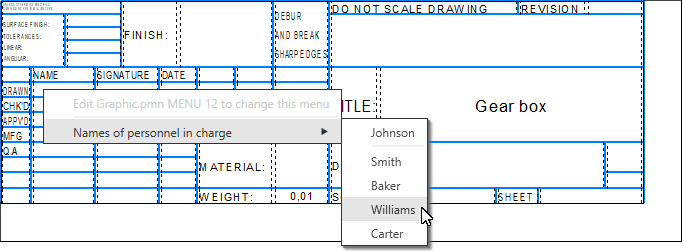
User menu when filling the drawing title block
Graphic.pmn – a text file available to direct editing by the user.
Editing this file, the user can configure, for example, the menu appearing on filling the main title block so that it contain the required surnames and initials of officials, to add a list of scales, etc.
The user can also create new sections in the file Graphic.rmn, describing the menus available when entering text into the fields of original (user) main labels (see section Configure Extended Cell Format).
|
If the file Graphics.pmn is edited while the KOMPAS-3D system is running, the changes made to the file will become available after restarting the KOMPAS-3D system. |

