|
Quick preview of the measurement results |
Scroll |
You can quickly view the measurement results and add them to the Information window.
To view the measurement results after calling the command just hover the cursor to the measurement object (for example, to the measured curve). The measurement result will be displayed next to the cursor (figure a).
If several objects participate in the measurement, then successively click all the objects participating in the measurement, except for the last object. Hover the cursor to this object. The measurement results will be displayed next to the cursor. For example, you need to measure the distance between two points on a curve. Click on the curve along which the distance will be measured. Then click on the first point of the curve, and move the cursor to the second point. The measurement result will be displayed next to the cursor (figure b).
|
|
a) |
b) |
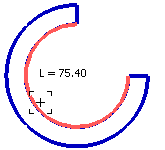
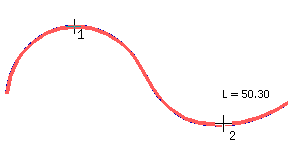
a) curve length; b) distance between two points on the curve
To add the measurement results to the Information window click on the measurement object (or all measurement objects, if there are multiple objects). The Information window will be displayed on the screen. The measurement results and certain reference parameters will be displayed in the window.
