|
Macro-elements in the Document Tree |
Scroll |
In the Document tree, the macro-elements are combined into Macro (xN) groups. N in the group names is the number of the macro-elements within each group.
In the Drawing tree, the macro-elements are located in their view branches (see Fig. A). In the Fragment tree, the macro-elements are located right below the root element.
A default name and number are assigned to the macro-element when it is created. You can edit the name and the number in the tree.
If you select the macro-element in the tree, the macro-element will be also selected in the graphic area.
When editing a macro-element that contains other macro-elements, the icon  is displayed next to its pictogram in the Tree. Click the mouse pointer on an icon (after which it is displayed as
  ) to view the structure of the macro-element (see Figure b).
|
|
a) |
b) |
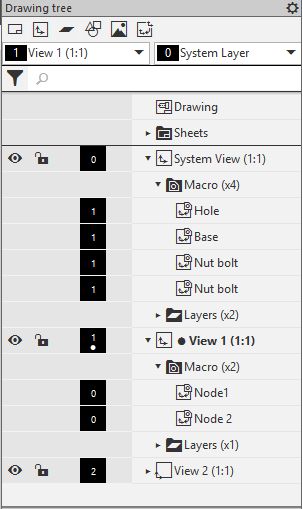
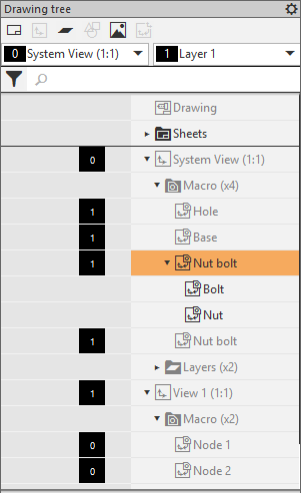
Displaying macro-elements in the Drawing tree:
a) after creation; b) in the editing mode
