|
Offset of instances along array axis |
Scroll |
When building an array by concentric grid, you may place instances not in the same plane but in different planes shifted one from each other by given value along array axis. Such construction is illustrated at the figure.
|
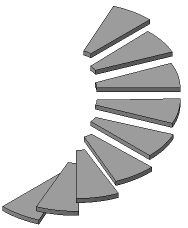
Example of array by concentric grid with instance shift along the axis
To place instances with offset along array axis, enter offset value in the Step along axis field of Additional parameters section. Value of the pitch can be both positive and negative (positive direction is indicated by straight arrow at the phantom).
After setting the step positions of instances on the phantom change.
Example of changing array instances’ positions when setting step along axis is provided on the following figures:
•Figure a – step by axis is equal to zero, all array instances lay in the same plane,
•Figure b – step by axis is non-zero, array instances are located along array axis with offset equal to step value.
|
|
a) |
b) |
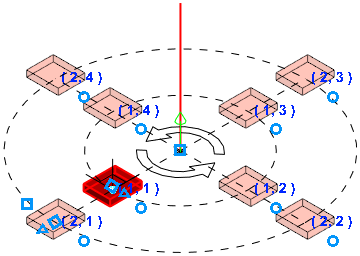
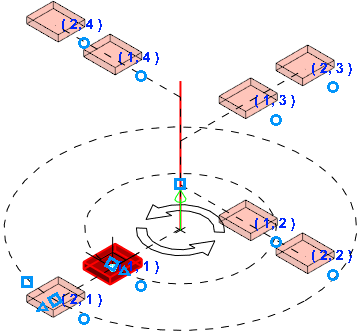
Changing array instances’ position when specifying step along axis
a) zero step; b) non-zero step by axis
