|
Zone tree |
Scroll |
The tree of model zones is displayed on the Tree Panel when Zones  button is pressed.
Zones and zone splittings are located in the Tree in the order of creation. Zones and splittings are at the first hierarchy level of the Tree. Zones obtained as a result of splitting are located on the second level.
Names and numbers are automatically assigned for zones obtained as a result of splitting.
The current zone is marked with a dot in the Zone tree. To make another zone current, call the Current zone command from the Zone tree context menu. After calling the command, a dot will appear to the left of the zone name. You can also make the zone current by clicking in the field to the left of the zone name in the Tree.
To hide or show a zone, select it in the Zone Tree and call the Hide  or Show
  command from the context menu. Also you can click the icon in the Visibility field.
|
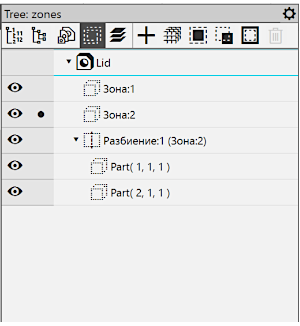
Model zones tree
