|
Data in the form of links |
Scroll |
In the reports located in graphic documents, it is possible to display the contents of report rows in the form of links to the property values in the source document. Such links are created automatically if the Data as References option is enabled in the Parameter Panel when creating the report. They are displayed in the report with the color set for text links (see section Color of text elements).
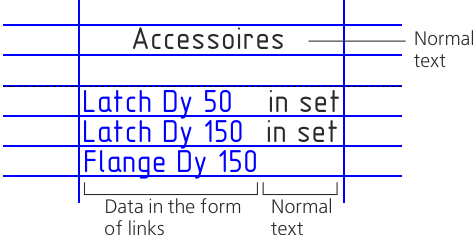 Ways to invoke the command . The text after conversion is available for editing. If subsequently the option Data in the form of references is enabled again and the report is rebuilt, then the text will become references, and all changes will be lost.
|

