|
Overview |
Scroll |
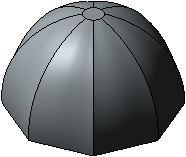
The Lofted element is formed by connecting several sections of arbitrary shape and location. The figure shows an example of a lofted element.
|
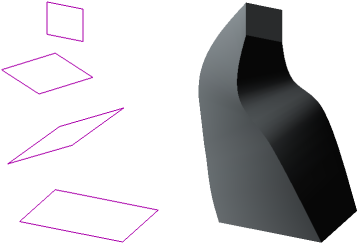
Sections and element constructed from them
The Lofted element can be an independent solid, or it can be glued to the solid or cut out of it.
To create a new solid by sections or gluing an lofted element to an existing solid (i.e., to add material), use the Lofted Element operation, and to cut an element by sections from the solid (i.e., to remove material) use the Cut Loft Solid operation.
Sketches, contours, 3D curves, faces can be used as sections of a lofted element. Extreme sections can be points.
If the sections are closed, you can select between a solid or thin-walled element (see figure). For open sections, only a thin-walled element can be constructed. If a point is used in the outermost section, only a solid element can be constructed, provided that all other sections are closed.
|
|
a) |
b) |
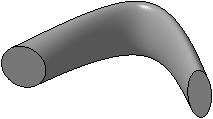
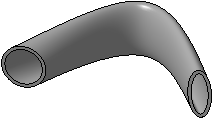
Lofted elements: a) solid; b) thin-walled
The shape of the element can be changed by setting the guiding curves. Such curves can be 3D curves, contours, sketches, edges. The number of guiding curves is not limited.
|
|
a) |
b) |
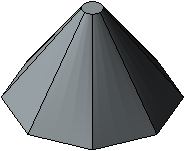
Lofted elements: a) without guiding curves,
b) using guiding curves
See Also
