|
Prototype selection |
Scroll |
When creating an attribute of tabular type, you can select its prototype. To do this, click the Assign prototype button in the attribute type creation dialog box. After that, the controls for selecting the prototype appear on the right side of the dialog box, see the figure. To assign a prototype, select the required attribute type in the attribute list of the selected library or current document.
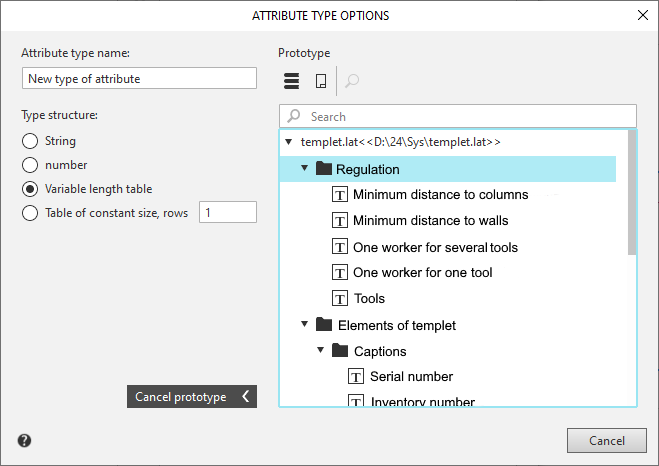
Selecting a prototype of table attribute
The description of the controls for the prototype assignment is shown in the table below.
Description of controls
Name |
Description |
|
|
Show library |
Click this button to display the attribute types stored in the external attribute type library file *.lat. |
|
Show document |
Click this button to display the attribute types stored in the current document (local document attribute types). |
|
Browse |
The button allows you to view the attribute type highlighted in the attribute list. After pressing the button, the following appears on the screen attribute structure description dialog. |
Cancel prototype |
To discard the selected prototype, click this button. |


