|
Special characters and designations |
Scroll |
You can insert special signs missing in normal font sets into the text (the symbol of diameter, various characters for technological designations, etc.).
To insert special characters, use the Special Character...  command.

After fetching the command, a special character selection dialog appears on the screen.
|
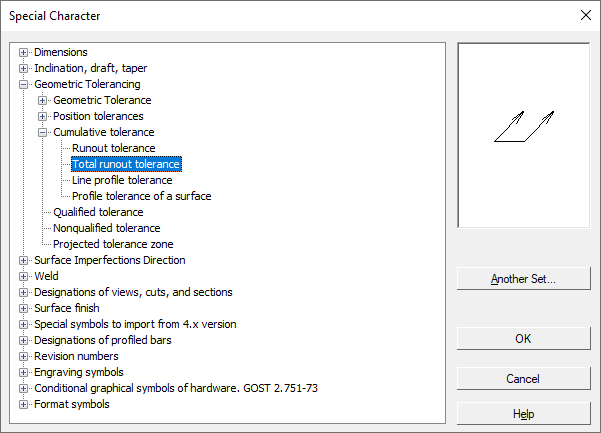
Dialog for selection of the special symbol
Special characters are grouped into sections. To view the section contents, expand it. The sign or designation whose name is selected in the list is displayed in a preview window.
To insert a selected special character, press OK. You can also double-click on its name. The dialog will be closed, and the selected character – inserted into the current cursor position.
By default, the characters and designations stored in the graphic.sss file (a text file containing descriptions of special characters) are used. It is shipped together with the system and is stored in the subfolder \Sys of the main folder KOMPAS-3D.
To plug in another *.sss file, press the Other set button in the special character selection dialog.
