|
Overview |
Scroll |
The extrusion surface is formed by moving a section along a rectilinear guide to one or both sides for a specified distance.
As a section, you can use faces, sketches (areas in sketches), edges, spatial curves (including contours).
Section objects can be closed and open, flat and non-planar.
When extruding flat closed sections, as well as faces, it is possible to create a closed surface. The figure below shows the construction of an extrusion surface whose section is a face.
|
|
|
a) |
b) |
c) |
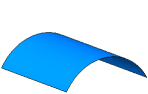
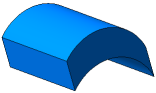

a) section (cylindrical face), b) closed surface, c) open surface
If the section is a planar face, sketch (sketch area), contour plotted by sketch or on a planar face, and it is extruded in the direction perpendicular to itself, then the side faces of the surface may be sloped (see the picture).
|
|
a) |
b) |
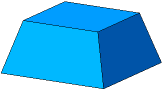

Slope of the side faces of the extrusion surface
a) closed, b) open
When extruding an edge or a 3D curve (including an Arbitrary type contour), faces of the surface may not be sloped or closed. An example of extruding a spatial curve is shown in the figure.
|

Extrusion surface with spiral section
See also
