|
Layout |
Scroll |
Selection of detailing for the first sheet and all newly added sheets of a graphic document is performed in the Layout.
The dialog appears after calling the command Layout parameters... from the context menu of a section in the Document Tree.

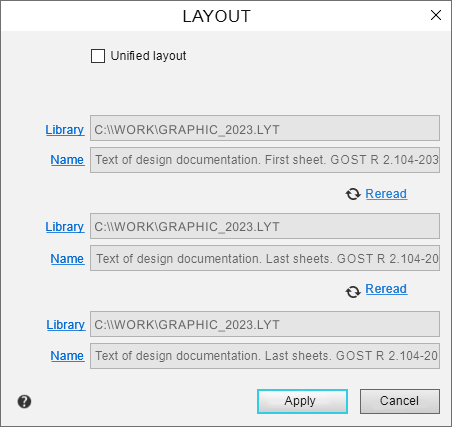
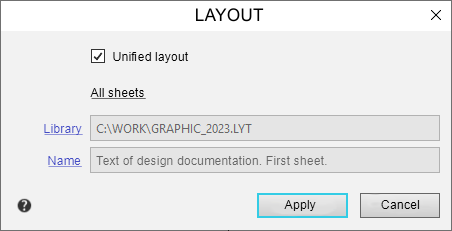
Document layouts and BOM styles are stored in special system libraries – files with the *.lyt. extension. Dialog controls allow to select a library file and a detailing (style) from it.
The element |
Description of setting |
|
Uniform detailing |
This option allows to apply a uniform detailing to all sheets of the selected section. If this option is enabled, the dialog displays one group of design selections — All sheets. If the option is disabled, the dialog displays several design selection groups — First sheet, Second and all even sheets, Third and all uneven sheets. |
|
Library |
The field is used to display the full library file name – *.lyt. To select a different library file, click the field and then specify the desired file in the dialog that appears. You can copy the contents of a field by calling the Copy command from its context menu. |
|
Name |
The field is used to display the name of the detailing assigned to the sheet (the style assigned to the BOM). Clicking on the field opens dialog for selection detailing. You can copy the contents of a field by calling the Copy command from its context menu |
|
Reread |
Allows you to reread the design if it differs from the library one. The button is available if the document's formatting differs from the corresponding formatting in the library *.lyt. |
On completion of the set-up, press the OK button. Click Cancel to discard all changes and close the dialog box.
