|
Overview |
Scroll |
When editing a model, you can change the position of one or more faces of a body. Faces are repositioned by shifting them in a given direction or rotating them by a certain angle. This method of changing a body can be useful when editing a model without a building history.
To change the position of faces by shifting, you need to specify a guide object and a distance. When rotating faces, select the rotation axis and specify the angle. As a result of the operation, the selected faces are rebuilt, and the faces adjacent to them are modified so that the body remains intact.
|
The faces must belong to the same body. |

|
|
a) |
b) |
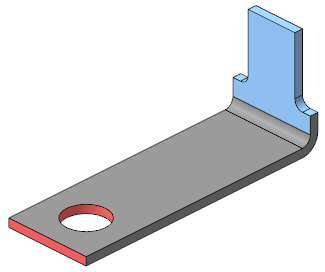
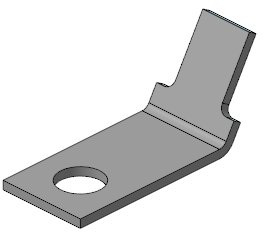
Changing the position of the edges:
a) original body: offset faces are highlighted in pink, rotated faces are highlighted in blue,
b) body after operations
|
The operation of changing the position of faces is also applicable to the faces of surfaces. |
