|
Base component selection dialog |
Scroll |
It allows to specify a component relative to which the position of other model components will be determined when they are Symmetrical arrangement. The specified component is taken as the Base.


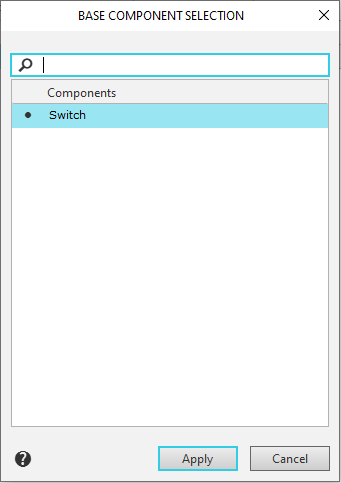
The dialog contains a list of components, each of which can serve as a base for other model components that should be added as a single unit (these components are selected before opening the dialog).
The components in the list can be sorted by name. After clicking the Components row, a triangle appears on the right side of the row. To change the sorting direction, click the triangle.
At the top of the dialog is a search field used to select the desired component from the list.
By default, the base component is the component at the top of the list. The base component is marked with a dot in the list.
To select a different component as the base component, click to the left of its name in the list and click Apply. You can also double-click the row containing the component's name. After closing the dialog, the position of the specified components will be determined relative to the base component.
The Cancel button closes the dialog without selecting the base component.
