|
Parameter Panel |
Scroll |
If an item is selected in the BOM table, its parameters are displayed in the Parameter Toolbar (see figure).
Each parameter corresponds to a field or toggle switch (see section Entering and editing parameters of a BOM item). By changing the state of the toggle switches and the values in the fields, you can edit the parameters of the BOM item.
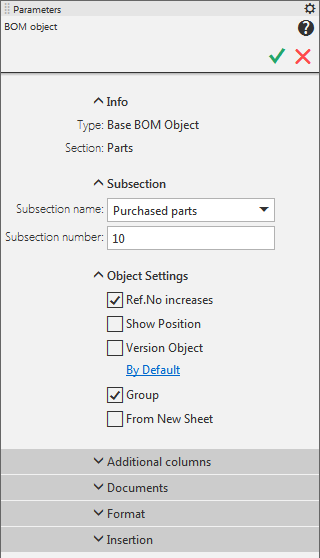
Parameter Toolbar when working with the BOM item
If the section header is selected in the table, the Parameters panel displays the following items:
•section name,
•option for starting the section from a new page,
•list for changing the quantity of reserved lines in section.
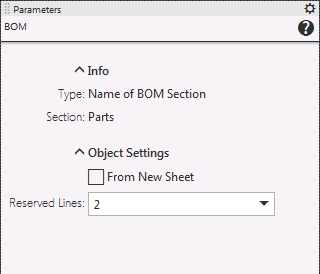
Parameter Toolbar when working with the BOM section header
