|
Placing instances of the array inside the grid |
Scroll |
Placing of instances in an array by grid and number of those instances inside an initially set grid may be changed, for example, by placing instances only on grid perimeter or in staggered order.
To choose instance placement option, expand the Additional parameters section and press the corresponding button in the Scheme button group. Possible placement options are listed in the table.
|
It is useful to select a detailing scheme Delete instances inside the grid when there are three or more instances on both directions, while schemes Copy along axes only and Staggered order are useful when there are two or more instances on both directions. |

Options for instance placement within the grid
Detailing scheme |
Array creation rules |
Result of plotting |
|
|
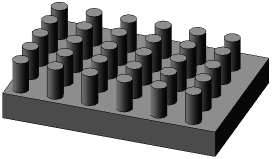
Standard |
Array instances are located in all grid nodes. |
|
|
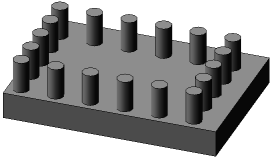
Delete instances inside the grid |
Array instances are located on grid perimeter. |
|
|
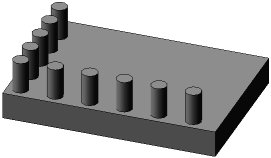
Copy along axes only |
Array instances are located only along grid axes. |
|
|
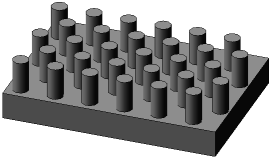
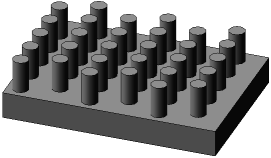
Staggered order – shift along axis 1 |
Array instances are shifted along grid nodes for a half-pitch along first axis. Shift is performed in each even row in current axis direction. The first row is the row that contains the instance with number (1, 1). |
|
|
Staggered order – shift along axis 2 |
Array instances are shifted along grid nodes for a half-pitch along second axis. Shift is performed in each even row in current axis direction. The first row is the row that contains the instance with number (1, 1). |
|





|
Position Base When laying out instances in staggered order, position of base instance is not changed. |
