|
Changing the direction of copying |
Scroll |
When creating an array along a curve, you can control the direction of copying using the 'Change Direction' button  .
.
Depending on what kind of curve that is selected for array construction, a closed or an open-ended one (see section Curve selection), changes in landing direction differently affect the placement of instances.
If the curve is closed, then forward direction of copying means instances will be placed along the curve to one side of the object being copied, and reverse direction means instances will be placed to another side of that object. Current copying direction is indicated on the phantom of array by an arrow.
|
|
|
a) |
b) |
c) |

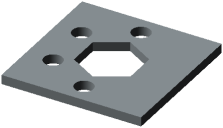
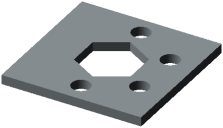
Changing direction when constructing an array along a closed curve
a) object being copied and a curve (indicated by thick line),
b) array in forward direction, c) array in reverse direction
|
If the curve is closed and instances are placed using Uniformly along curve (see section Number of instances and step of copying), the result of the operation does not depend on the direction of copying. |

If the curve is open, then for building in forward direction its terminal point closest to the object being copied is used as a starting point, while for building in reverse direction, another terminal point of the curve is used.
|
|
|
a) |
b) |
c) |
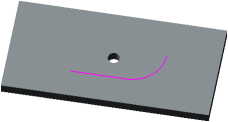
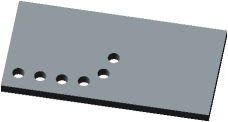
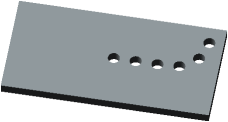
Changing direction when constructing an array along an open curve
a) object being copied and a curve,
b) array in forward direction, c) array in reverse direction
