|
Working procedures |
Scroll |
All work techniques described below are available in the table editing mode.
After creation of a new table, the system switches to this mode automatically.
To switch to the mode of editing an existing table, double–click it.
|
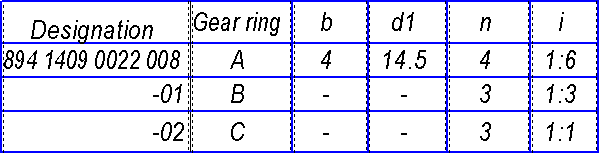
In the editing mode, the table is enclosed inside a thin marquee, and inside the table cells the borders of the text entry box are shown with dashed lines (see the figure). The cursor remains in the cell and in the position where it was at the moment of double–click.
