|
Explode assembly components |
Scroll |
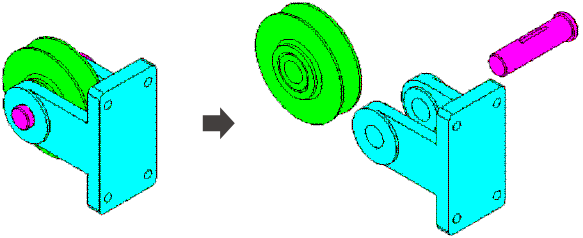
Sometimes the assembly needs to be viewed in the exploded form (so that all its components are visible). There is a special assembly display mode for this purpose – the exploded view.
To switch to the exploded view of the assembly components you need to configure the explode parameters: select the components, as well as the direction and amount of their shifting.
When the assembly components are exploded, editing the assembly, creating 3D lines, surfaces, auxiliary objects, Detailing elements, mating, and BOM operations are not possible.
|
Explode assembly components
