|
Overview |
Scroll |
An element by path is formed by moving the section along the guides, for example as shown in the figure.
|
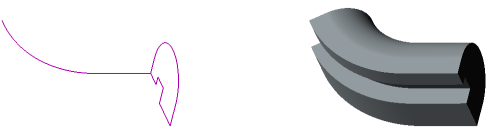
Section, guide and element by path
The element along the path can be an independent solid, or it can be glued to the solid or cut out of it.
To create a new solid or to snap an element along a path to an existing solid (that is, to add material), use the operation Element along path, and to cut an element from the solid (that is, to remove material), Cut by path.
When you cut an element, instead moving a section along the guide you can move the solid. More details on using a solid as a tool for cutting by path...
See Also
