|
Trimming the curve with one secant object |
Scroll |
If the curve and the sectioning object have one common point, then the part of the copy that doesn’t contain the curve designation point is displayed in the graphic area as a phantom. It is bounded by two points: intersection point and terminal point of the curve. The phantom displays the result of the trimming, that is, the part of the curve that will remain after trimming.
|
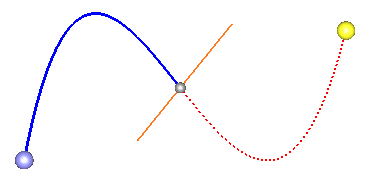
Phantom of a trimmed curve
|
The tangent point of the source copy and the tangent point intersecting object is considered the point of intersection. |

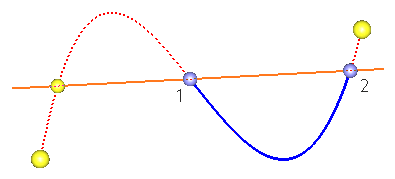
If the curve and the sectioning object have several common points, then the phantom of the trimmed curve and the points of intersection of the selected objects appear in the graphic area. In this case, the phantom of the trimmed curve is bounded by the first intersection point 1 and the terminal point of the source curve 2.
The positions of points 1 and 2, which delimit the phantom, can be changed.
•To set a new position for point 1, please select the new intersection point in the graphic area.
|
|
a) |
b) |
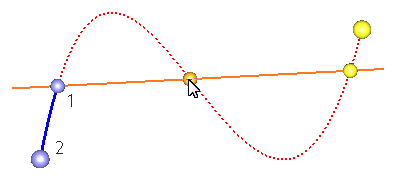
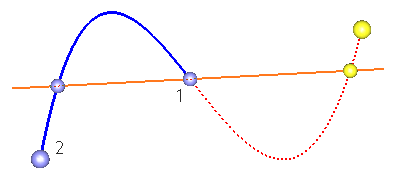
Changing position of point 1
a) specifying the intersection point; b) result
•To set a new position for point 2, please select the new intersection point while holding the <Ctrl> key.
|
|
a) |
b) |
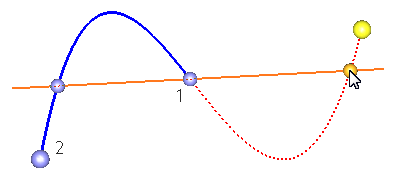
Changing position of point 2
a) specifying the intersection point; b) result
