|
Repositioning the plane of designation |
Scroll |
If on creation of a designation its plane was not fixed (i.e. the object of fixation was not specified), then when editing this designation it is possible to move its plane in parallel to itself.
In this case, during editing a designation or on its selection, the designation plane is displayed on the screen. It represents itself as a rectangle drawn by the shaped line in one of corners of which there is the characteristic point  . When dragging this point with the mouse, all the designation moves.
|
|
a) |
b) |
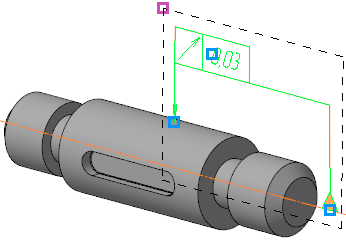
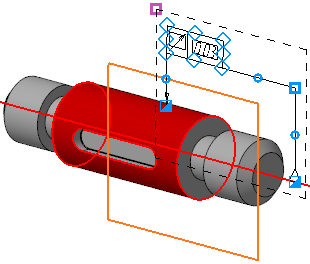
Display of the characteristic point on the plane of designation:
a) at selecting designation, b) in the editing mode
Movement of the plane is possible as long as the condition of belonging the starting points of all branches to an object for which a designation was labeled is met.
|
If movement of the plane is impossible (for example, designation is made to an edge and is in the plane containing this edge), the designation remains at its place. |

