|
Symbols |
Scroll |
You can insert symbols unavailable to input from the keyboard into the text. For this purpose, use the Symbol...  command.

After fetching the command, a dialog containing the table of symbols appears on the screen.
|
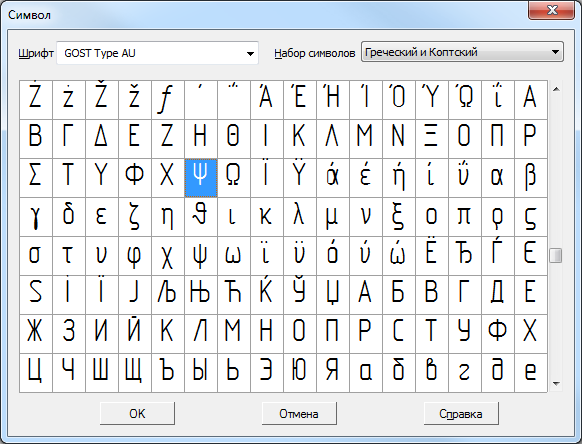
Select a font and a set of characters from the respective lists. To accelerate selection, you can press on the keyboard a key with the first letter of the font name or set of characters.
The cell of the current symbol in the table is displayed on a black background. You can move around the table of symbols both using arrow keys and with the mouse.
To insert a selected symbol into the current cursor position, press OK. You can also double-click on the left mouse button at the required table cell.
The dialog will be closed, and the selected symbol – inserted into the text.
|
In the KOMPAS-3D package, there are six TrueType fonts and four vector fonts, specially developed for writing texts in accordance with ESKD. The fonts have names – GOST type A, GOST type AU, GOST type B, GOST type BU, Symbol type A, Symbol type B. The tables of these fonts contain various design and process symbols, Latin numerals, characters of Greek and other alphabets. |

