|
Bend Width by Sketch |
Scroll |
Changing the width of the bend by sketch is available if you build a bend by one edge. When you create a bend by a chain of edges, the width of each bend is equal to the length of the respective edge.
To select a method for setting the width of the bend by sketch use the Method group of buttons. The following options are available:
 Along the entire edge — the bend width is equal to the edge length,
|
|
a) |
b) |
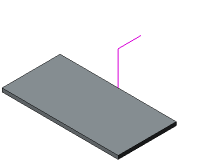
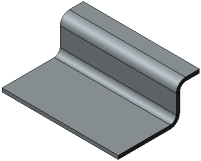
Bend Along Whole Edge
a) original model and bend sketch, b) construction result
 From sketch — the bend width is set by the user and can be offset in different directions from the sketch plane.
The width values are entered in the Width 1 and Width 2 fields.
To reverse the direction of width addition, press Change Direction  button to the right of the field Width 1.
If required, you can build a bend symmetrically in both directions of the sketch plane. To do this, set the Symmetrically toggle switch in position I (enabled). Enter the total bend width in the Bottom Width field. The bend will be built in both directions of the sketch plane.
|
|
a) |
b) |
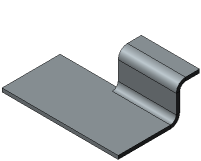
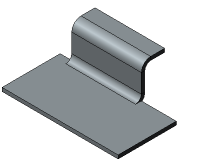
Bend From Sketch
a) in one direction from the sketch plane, b) in two directions
