|
Configuring document property list |
Scroll |
You can set up the properties list for the current document (drawing, fragment, part or assembly) in the Property List Settings dialog box.


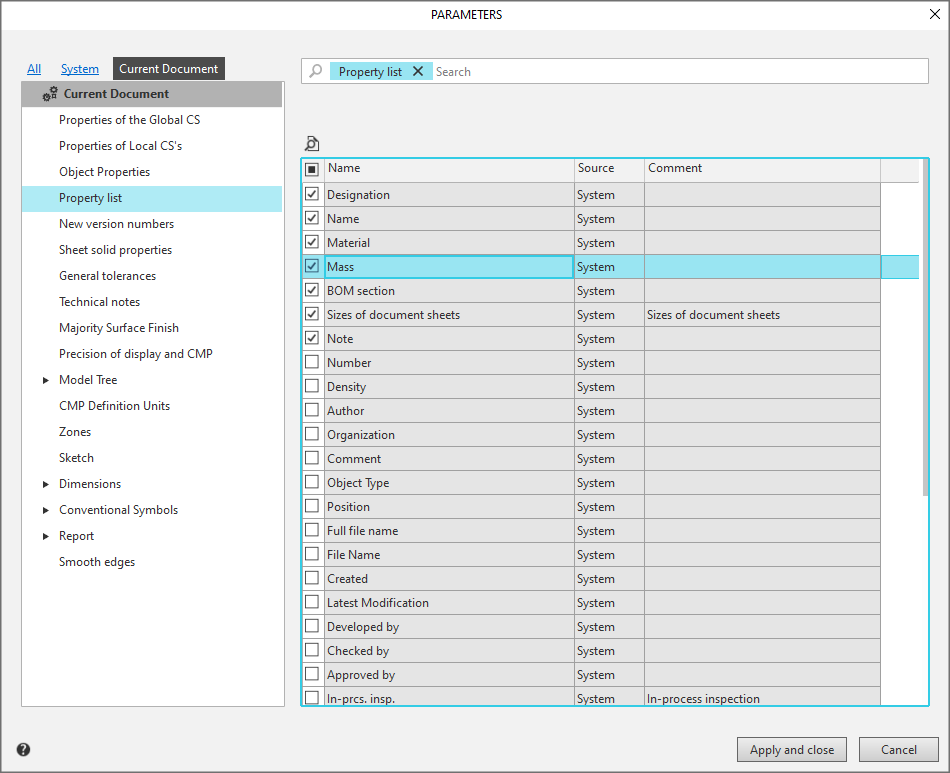
Setting up a document property list
This section contains a list of properties for the current document. In addition to system properties, the list may include user-defined properties and properties added from libraries or files of objects included in the document, such as components or inserted views and fragments when working with a drawing. More about property management...
The option to the left of the property name allows you to enable or disable the display of this property in the document.
The option in the column header allows you to enable/disable the display of all properties in the list at once. More...
To view the settings for a property selected in the list, click the View  . button. A dialogue Property parameters.In viewing mode, property editing is not available.
|
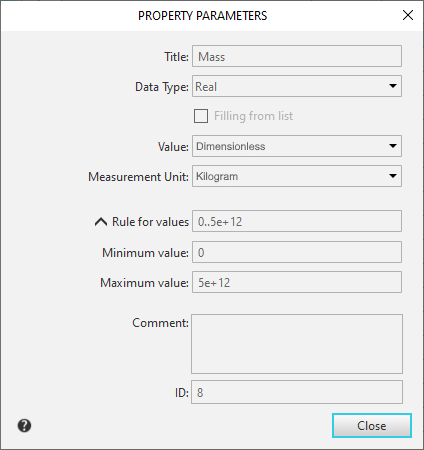
Viewing property settings
