|
Access to Model dialog |
Scroll |
Allows you to set a password for access to the part model, change the password or delete it.

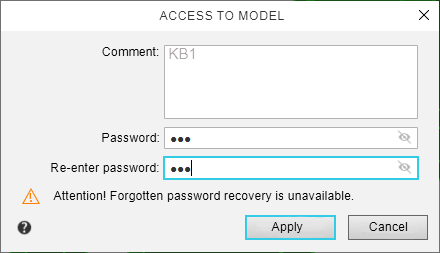
After setting, changing, or deleting a password, save the model file.
The password, if set, will be requested each time the model file is loaded.
Description of controls
Element |
Description |
|
Comment |
A field for entering or editing a comment. |
|
Password |
Password entry field. If you want to hide/show the password, click on the Hide To remove the password, click on the icon |
|
Enter your password again |
Password confirmation field The field appears in the dialog when setting and changing a password. |
 /
/ .
.
Close the dialog by clicking Apply. To exit the dialog without changes, click Cancel.
