|
Placing array elements within a grid |
Scroll |
Use the Scheme button group to select how to arrange the array elements within the grid. The available scheme options are listed in the table.
Options for placing instances within the grid
Scheme diagram |
Rules for creating an array |
Plot result |
|
|
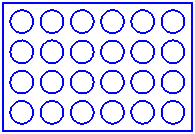
Standard |
The array elements are located at all grid nodes. |
|
|
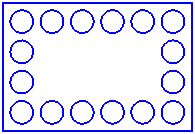
Delete instances inside grid |
The array elements are distributed along the perimeter of the grid. |
|
|
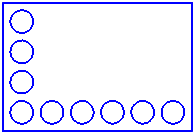
Copy only along axes only |
The array elements are located only along the grid axes. |
|



|
It makes sense to select the Delete instances inside grid option if there are three or more instances in both directions, and the Copy only along axes only option if there are two or more instances in both directions. |

