|
Dialog edit an entry in a table attribute |
Scroll |
Allows you to enter or edit the content in the record fields.
The dialog box appears on the screen after clicking the Record link in the table attribute editing dialog box

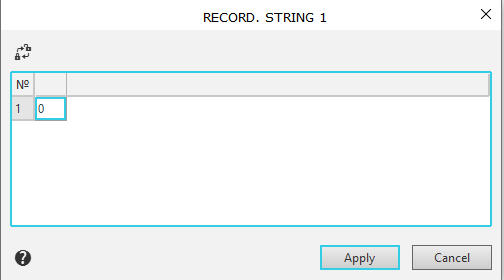
Place the cursor in the entry field and make the necessary changes.
If the entry field is active, a button appears above the table  Disable/Enable column editing. When you hover over the button, a tooltip appears showing the command name. Clicking the button allows you to disable or enable editing of the record. When editing is disabled, a message appears in the column Disabled column.
After entering values in the record fields, click the Apply button. To exit the dialog without saving the changes, click the Cancel button.
