|
Setting the fillet radius of boundary curve |
Scroll |
When selecting the method Along the boundary curve, the rounding radii are defined via the boundary curve. A fillet radius is calculated in each point of an edge so that the provided curve becomes a boundary of the fillet surface.
To use this method for defining a fillet radius, click Along the boundary curve  in the Design Method group and specify the curve.
The following can be selected as a boundary curve:
•edge,
•spatial curve,
•curve in sketch,
•chain of the above objects in any combination.

Sketch curves and edges are specified in the graphics area, while the sketch itself is specified in the Design Tree. A 3D curve can be specified in either the graphics area or the Design Tree. By selecting a curve (sketch line) or edge in the graphics area, you can select a single object or a group of objects that meet a specific condition. To specify the condition, use the elements in the Quick Access Toolbar.
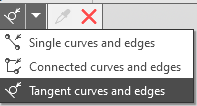
Selecting curves and edges based on conditions
The names of the selected objects are added to the Curve field, and a rounding phantom appears in the graphics area.
|
|
a) |
b) |
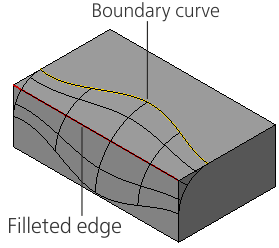
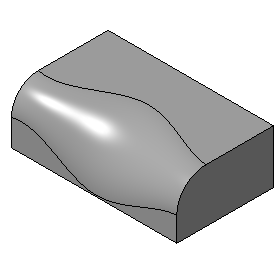
Example of variable radius fillet: By boundary curve:
a) constructing a fillet, b) the final result
