|
Setting Print Filters |
Scroll |
Sometimes you may need to print a document but exclude some detailing or graphic object from printing. Filters are used for this purpose. To set filters, use the Print Filter Settings dialog (see the figure). To open this dialog, click the Print Filters... button in the Document Print Settings or Special Document Print Settings dialog. The settings of print filters do not impact the default system settings. For a description of dialog controls, see section Print Filter Settings Dialog.
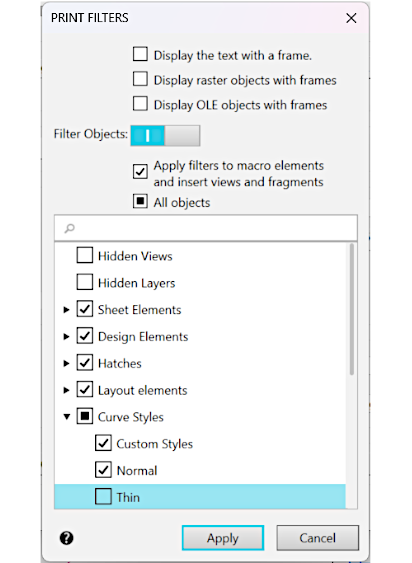
Print Filter Settings dialog
