|
Hyperlink to email address address |
Scroll |
Creating a hyperlink for an email address is done by pressing the Email button on the left side of the dialog.
|
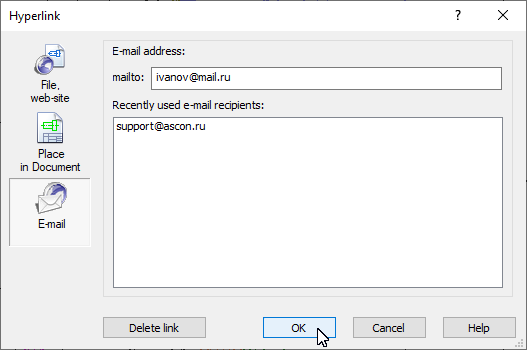
Dialog of creating a hyperlink to the email window
Enter the address in the mailto: field or select it by double-clicking it from the list in the central dialog box. This list contains the addresses used in the last session of KOMPAS-3D.
Click OK. The button is available if the email address is entered in the mailto: field.
After creating a hyperlink, the tooltip contains the email recipient address.
When the hyperlink is activated, the program registered in the system as the default mail application opens. An e-mail compilation window appears with the recipient’s address automatically filled in.
