|
Creating hyperlinks |
Scroll |
To create a hyperlink, select one or more objects and call the Hyperlink...  command. The command is unavailable if both objects with hyperlinks and objects without hyperlinks are selected.

In the dialog that appears on the screen, select the hyperlink type and set its parameters. The buttons for selecting the type of hyperlink — File, web page, Place in the document, and Email — are located on the left side of the dialog.
|
The hyperlink creation dialog can also be opened by clicking on the Hyperlink line in the Parameter Panel (see the section Changing the parameters of objects in a graphic document). |

|
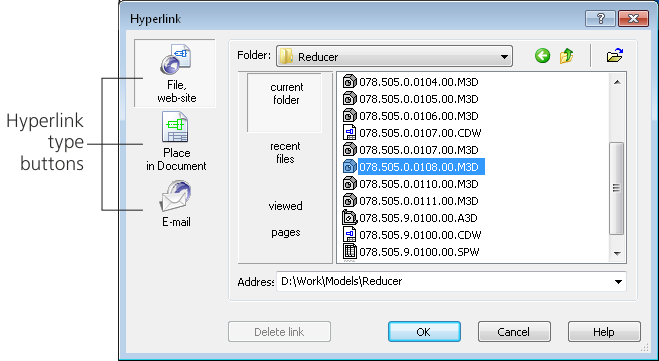
After pressing the button, the central part of the dialog changes, allowing you to set the parameters of a hyperlink of a particular type. The creation of hyperlinks is described later in this section.
If several objects are selected, the hyperlink will include each of the selected objects after it is created.
Hyperlinks can be created automatically when labeling certain designations.
