|
Hyperlink to a place in the document |
Scroll |
Creating a hyperlink to a place in the current document is done by pressing the Place in Document button on the left side of the dialog.
|
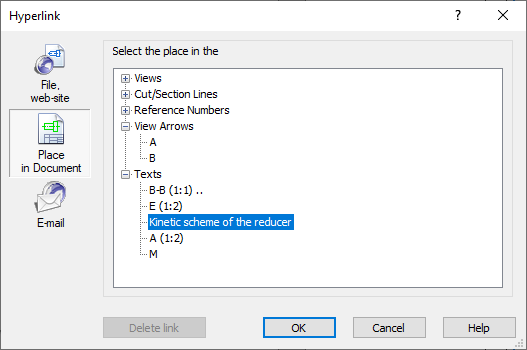
Dialog of creating a hyperlink to a place in the document
The dialog box displays groups of objects of the current document to which you can make a hyperlink. Groups can be expanded (collapsed) by clicking on the "plus/minus" icon to the left of the group name. By default, groups are shown in collapsed form.
Select the desired target from the list; the selected object is highlighted in the document.
Click OK. The button is available if the target object is selected.
After creating the hyperlink, the tooltip contains the names of the document and the target object.
When the hyperlink is activated, a transition takes place to the area of the document in which the target object is located. In this case, the center of the target object will be located in the center of the screen.
|
If the target object of the hyperlink is in a hidden state or layer, then its activation is impossible. |

