|
Slope Angle |
Scroll |
The slope of the side faces of the extrusion element is achievable under the following conditions:
•All objects selected as sections are flat and lie in parallel planes. For more details on objects used as sections...
•The direction of extrusion is perpendicular to the section plane.
To enter the slope value, use the Angle field. The Change direction  button to the right of this field allows you to specify the inclination direction — inward or outward.
If the extrusion direction is uniform, this setting is performed in the Main section of the Parameter Panel.
If extrusion is performed in two directions, you need to configure the first direction in the Main section, enable the Second direction toggle switch, and set the slope parameters for the second direction.
If the Symmetrically toggle switch is enabled, the direction and magnitude of the slope are considered the same in both directions. They are set once in the Main section of the Parameter Panel.
|
|
|
a) |
b) |
c) |
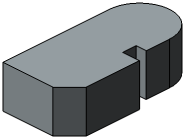
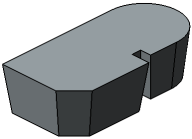
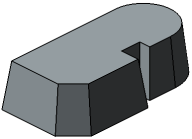
Extrusion in one direction
a) without slope; b) outward slope; c) inward slope
|
|
|
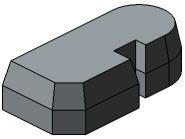
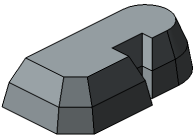
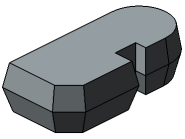
Extrusion in two directions with different slope parameters
