|
Variables of the Sheet Solid and Working with them |
Scroll |
When you create a part that has a Sheet part specialization, a list of variables of the sheet solid is automatically generated in the document. You can set initial values of variables in the Sheet solid properties.
Variables of the sheet solid are also generated when you create a sheet solid in the model that has a Part specialization.
Variables of the sheet solid and their current values are displayed on the Variables bar:
•SM_Thickness — thickness of sheet material,
•SM_Radius — inner bend radius,
•SM_Angle — bend angle,
•SM_BA — bend amount,
•SM_BA — bend reduction,
•SM_K — position coefficient of the neutral layer,
•SM_H — depth of bend relief,
•SM_W — width of bend relief.
|
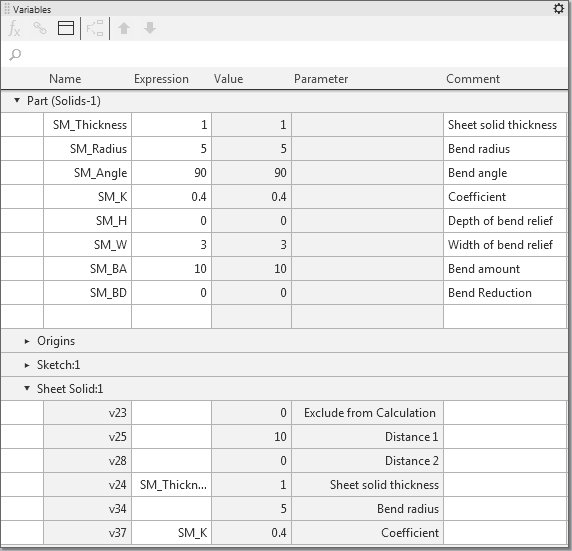
Variables of the sheet solid
When creating sheet elements containing bends, values for parameters corresponding to the values of the relevant variables are suggested. If these values are not changed manually, the following variables are automatically set to parameters of the element after it is created:
•thickness = SM_Thickness;
•inner radius = SM_Radius,
•bend angle = SM_Angle,
•relief depth = SM_H,
•relief width = SM_W,
•bend amount = SM_BA,
•bend reduction = SM_BD,
•coefficient of the neutral layer = SM_K.
You can change values of the sheet solid variables in the current model on the Variables bar.
The changed value of the variable is transferred to all elements in which this variable is used. This will let you quickly change dimensions and topology of the sheet part without editing every element individually.
For example, the SM_Radius variable corresponds to the "radius" parameter in all bends of the part, and the SM_Angle variable corresponds to the "angle" parameter. Initial values of these variables are 3 and 90.
|
|
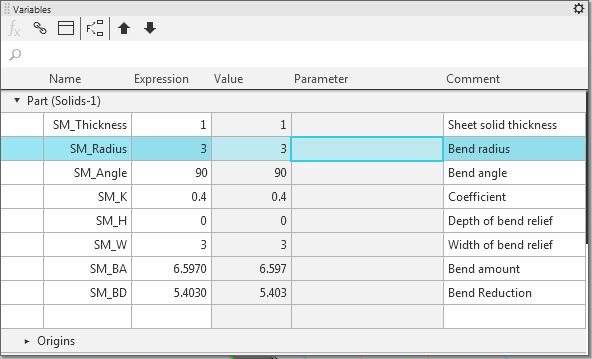
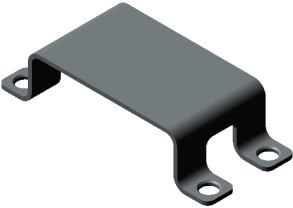
Original values of variables and an original part
Changing the value of the SM_Radius variable to 1.5 and the value of the SM_Angle variable to 70 will result in rebuilding of all bends of the part according to new parameter values.
|
|
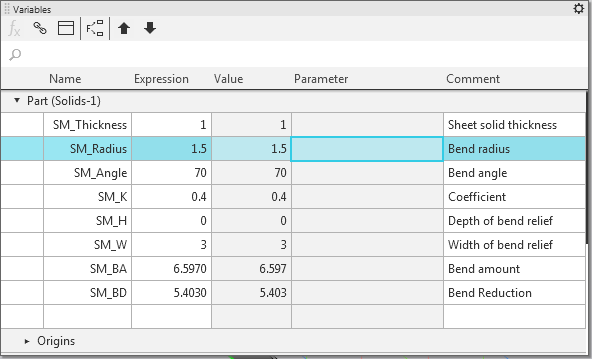
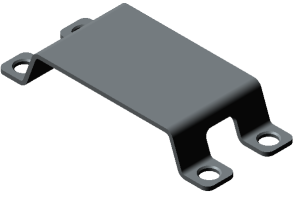
New values of variables and a rebuilt part
You can use automatically generated variables in expressions which define values of other variables and parameters, and in sketches.
For more details on working with variables and expressions...
