|
Bend width |
Scroll |
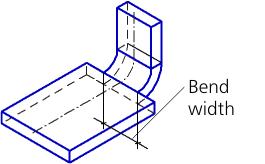
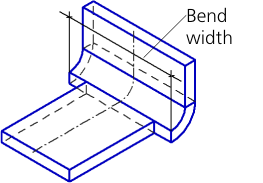
When you create a bend by multiple edges, the width of each bend is equal to the length of the respective edge.
The Set Width group of buttons lets you set the bend width and a method for its placement on the edge. It is present on the Parameters bar, if you build a bend by one edge.
Fields for entering the bend width or its indentations from the ends of the edge appear on the Parameters bar depending on the selected method (see Table).
Methods for setting bend width
Method |
Construction rules, construction result |
||
|
Along Whole Edge |
The bend width is equal to the edge length.
|
|
|
Centered |
The bend is positioned at the center of the edge. The bend width is set in the Width field. Only positive values are allowed. |
|
|
|
||
|
Left-side view |
The bend width and indentation value are set in the Left Indentation and Width fields. The bend is positioned so that the distance from the left end of the edge to the left side of the bend would be equal to the specified indentation value. |
|
|
|
||
|
Right-side view |
The bend width and indentation value are set in the fields Right Indentation and Width. The bend is positioned so that the distance from the right end of the edge to the right side of the bend would be equal to the specified indentation value. |
|
|
|
||
|
Two Indentations |
The bend width is automatically defined as the difference between the edge length and the total value of indentations. The left and right indentation values are set in the Left Indentation and Right Indentation fields. The bend position is defined by indentation values.
|
|
|
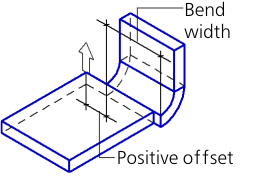
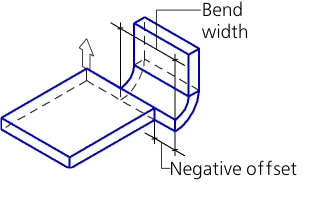
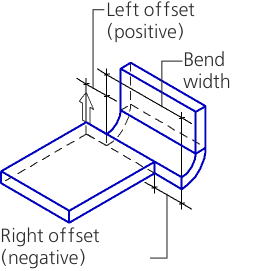
In the Left-side view, Right-side view, and Two Indentations methods, the indentation values can be both positive and negative. The positive indentation is plotted inward in relation to the sheet solid, and the negative indentation – outward. Indentation values when the bend width is negative or zero, as well as values when the bend appears to be separated from the sheet solid are not allowed. |
||