|
Ends Processing |
Scroll |
When building a beat, you can use different ways to process its ends.
Beat end is the part of the beat corresponding to the final point of the contour in the sketch.
To select a method of ends processing, use the Type group of buttons. The following options are available:
 Closed (Figure a),
 Open (Figure b),
 Truncated (Figure c).
|
|
|
a) |
b) |
c) |
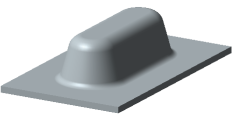
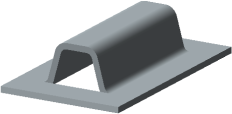

Types of beat ends processing
When you select the Chopped processing type, the Gap field will appear on the Parameters bar where you can enter a punch gap value.
The selected type is applied to all ends of the current beat.
|
A Type group of elements is not shown on the Parameters bar if the sketch contains only points. |

