|
Displaying Model Design History in the Tree |
Scroll |
Model Design History is displayed in the Tree if the Model Design History  button, located at the top of the Tree Panel, is selected. In this case, the model objects are located in the Design Tree in the order of their creation (see Figure).
|
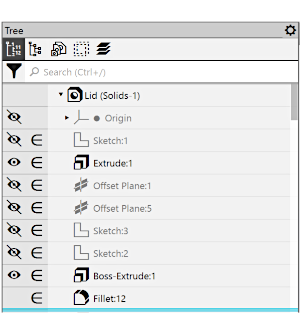
Model Design History
When you work with the Tree displaying model Design History, the following options are available:
•Changing the sequence of operations (see section Changing the operations sequence,
•Using the Indicator of build completion (see section Indicator of model build completion).
See Also
