|
Open Document dialog |
Scroll |
This dialog appears on the screen if when searching for the file graphic.kds, the system did not detect it at the specified path environment variable SYS.

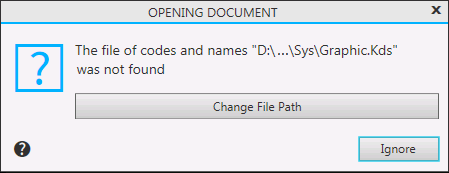
Description of Controls
Name |
Description |
|
Change File Path |
It is used to find the file of codes and names on the disk. After you click this button, a standard Windows Open File dialog appears on the screen. You can specify any file (including one with the extension other than kds) whose structure conforms to the structure of the file of codes and names. The specified file is used only in the current work session. On next startup, the system will again search for the graphic.kds file in the folder specified in the SYS variable. |
|
Ignore |
Allows you to refuse to use the file graphic.kds in the current session. After you click this button, automated input and processing of codes and names will be not possible until the end of the session. |
