|
Library file not found or corrupted |
Scroll |
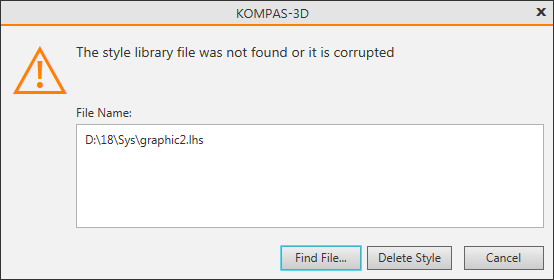
This message appears if the system cannot detect the library, style or type attribute from which it is assigned to the object contained in the document being opened. For example, a library can be deleted, moved, or renamed. The full file name of the required library is displayed in the File name.

How to fix the error
•To specify the library from which the style or attribute type should be taken, click Find file.
•To interrupt the opening of the document, click the Cancel button.
•If the error is caused by the absence of the style library, the dialog contains Delete style button. Click this button to replace the missing style with the system style.
•If the error is caused by the absence of an attribute type library, the dialog contains a Skip button. Click this button to open the document ignoring the attributes assigned to the objects.
