|
Warning on style in library |
Scroll |
This warning appears when you try to place a style with an already existing number in the library (for example, by creating a new style in it or copying into it a style from another library).

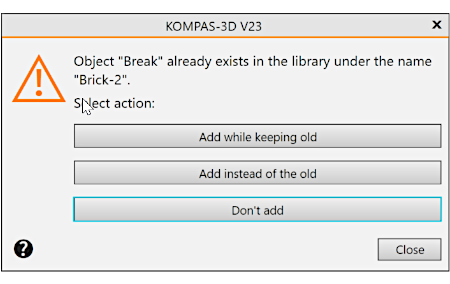
Buttons managing the placement of the object in the library
You can press |
Purpose |
|
Add Without Overwriting |
Placing an object into a library without deleting an existing object. The new object will be assigned the first of the "unoccupied" numbers. |
|
Add instead of the old |
Placing an object in the library with the replacement of an existing one. The existing object will be deleted – thus its number will be "released". The new object will be placed in the library without changing the number. |
|
Don't add |
Refusal to place an object in the library. Refusal to place the newly created object in the library means the loss of all changed settings. Since in this case the placed object is not yet used in any document, it is more expedient to add it with the existing one. |
|
Close |
To exit the dialog without saving the changes. |
