|
What's wrong? |
Scroll |
This dialog lists the errors that occurred during the rebuilding of the selected object or the entire document (models or drawings).

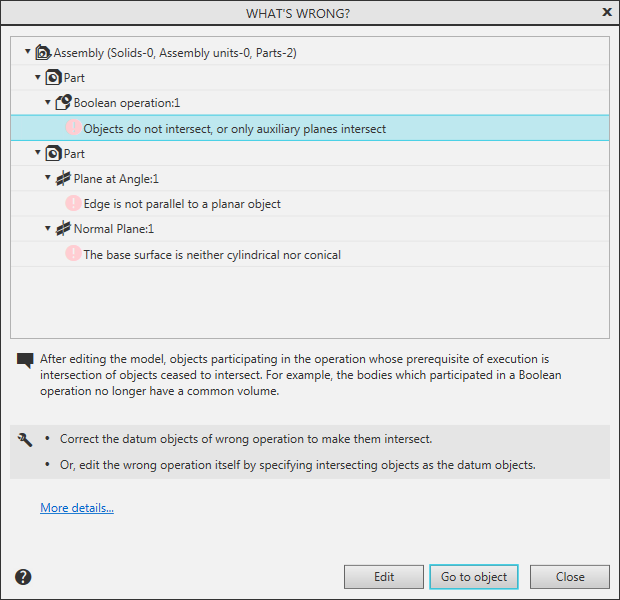
To get an explanation of a specific error and general recommendations for its elimination, click on the line of this error. The line will be highlighted in color, and a description of the probable cause of the error and how to correct it will appear below the error list.
There are following buttons at the bottom of the dialog:
•Edit – allows you to close the dialog and go into the editing mode of the object that contains the selected error.
•Go to object – allows you to close the dialog and select the object that contains the selected error in the Document Tree (or in the Tree of variables, if the dialog was called from it).
•Close – allows you to close the dialog without performing additional actions.
|
If the model contains an error message "Texture file is not found", then when selecting a line with this error message, instead of the buttons Edit and Go to object, the dialog will display buttons Replace... and Delete. They are used to replace a missing texture file or to refuse to use a texture, respectively. |

