|
Slope of rib faces |
Scroll |
You can slope rib faces. The slope is configured using the Slope control group in the Parameter Panel.
Set the slope angle in the Angle field or select a value from the drop–down list in the right part of that field. Side faces of the rib will be sloped outward at the given angle.
If the rib sketch consists of multiple segments (for example, line segments), the Parameter Toolbar shows the Segment of Direction field. The field displays the name of the segment that sets the draft direction. You can select the required segment using Next Segment  button or from the dropdown list in the right side of this field.
The rib end face corresponding to the selected segment will be the base of the slope. Side faces of the rib are sloped relative to it at the given angle.
|
|
|
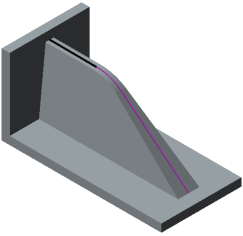
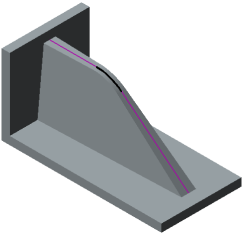
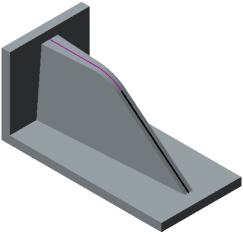
The edge sketch consists of three segments; the segment which specifies the slope direction is highlighted.
|
Specifying the segment to set the slope direction has sense only when constructing the rib in the sketch plane (when the In sketch plane button in the Position group is pressed). |

