|
Operation result |
Scroll |
When building a cut in the sheet part, you should select the result of the operation. To do this, use the Result group of buttons on the Parameters bar. The following options are available:
 Subtraction — removes the part of the detail that is inside the surface formed by the displacement of the sketch (Fig. B),
 Intersection — the part of the element located outside this surface is removed (Fig. C).
|
|
|
a) |
b) |
c) |
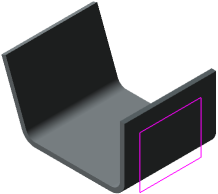
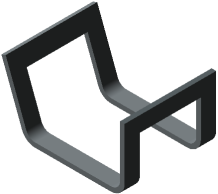
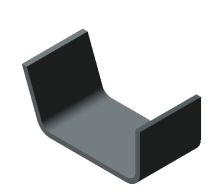
Result of cut construction in a sheet part:
a) original part and sketch of the cut, b) cut by subtraction, c) cut by intersection
