|
Methods of building |
Scroll |
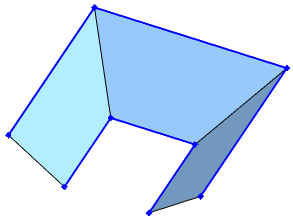
When building a ruled surface by two curves, you can use different ways to define the positions of the ends of the moving section segment along the guiding curves. You can select a method to build a ruled surface using the Section alignment group of buttons in the Design section. The buttons are available on the Parameter panel if the Auto Determination on-off switch is set to I (enabled). Description of building methods is given in the table, the schemes show the intermediate positions of the segment.
Methods of plotting
|
Method |
Surface construction scheme |
|
|
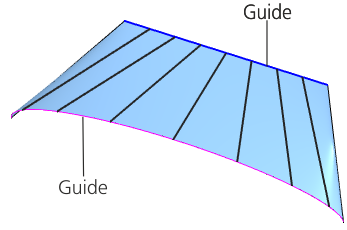
By the parameter of the guiding curves While moving along the guiding curves, the segment in each intermediate position is oriented so that its starting and ending points have the same displacement along the guiding curves, specified by the parameter. More details on the parametric representation of the curve... This building method is default. |
|
|
|
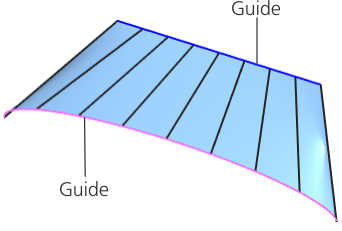
Along the length of the guiding curves When moving along the guiding curves, the segment at each intermediate position is oriented such that its starting and ending points have the same displacement along the guiding curves, expressed as a percentage of their length. |
|
|
|
Group of methods By object While moving the segment along the guiding curves, it is in the plane perpendicular to the given straight-line direction or curved line. The group By object is absent in the Parameter panel if a point is specified as one of the guiding curves. There are two options for the segment movement. |
||
|
|
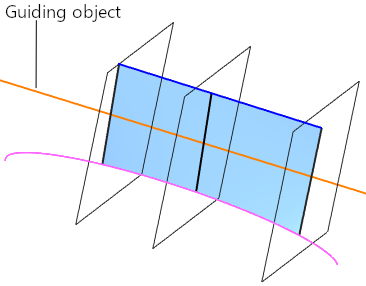
Parallel to itself While moving, the segment in each of its positions is in the plane that is perpendicular to the straight-line guiding object or the normal of the flat guiding object. If such a guiding object is specified that the plane does not intersect with the specified guiding curves, the surface is not built. The type of object that can be used as a guiding, and the order of its selection are described in the section Objects assigning orientation of the section plane during the movement of the segment-section. |
|
|
|
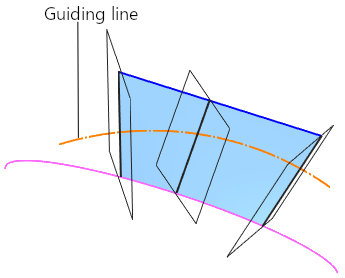
On the line While moving, the segment in each position is in the plane perpendicular to the specified guiding curve(curve of arbitrary shape). If such a guiding curve is specified that the plane does not intersect with the specified guiding curves in any position, the surface is not built. Types of objects that can be used as a guiding curve, and the order of their selection are described in the section Objects assigning orientation of the section plane during movement of the segment-section. |
|
|
By vertexes The correspondent vertexes of the guiding curves are connected by edges, and for building surface portions between the vertexes the method of building By the parameter of the guiding curves is used. You can perform building using this method if the number of vertexes on both guiding curves is the same. |
|
|