|
Date |
Scroll |
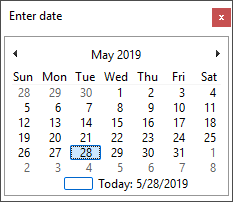
On double-click in any column into which a date needs to be entered, the Enter date dialog appears (see the Figure). By default, its current date is active. You can select another date using lists of years, months, and numbers. On pressing the <Enter>key, the specified date will be automatically placed into the respective stamp column. The date format follows the Windows settings for a short output format of the date.
|