|
User menu |
Scroll |
The user menu appears on double-click on any column into which the last name should be entered. It comprises the commands Developers, Process engineers, and Standards check, each containing a submenu – a list of last names (see the Figure). The surname selected in this list is automatically is placed in the column of the title block. If the last name is long, the width of letters will be automatically fitted, and the text will take only the place allocated to it.
|
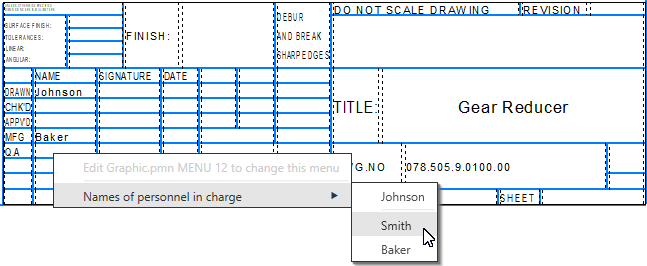
An example of selection of an employee’s last name of the standards check department while filling in the stamp
The structure of the menu shown in the figure and the contents of its lines are stored in the special user menu file Grarhic.pmn. This file is shipped with the system and during its installation it is placed into the \Sys subfolder of the main folder KOMPAS-3D. You can modify this file by entering any strings or menu sections, or adding your employees’ last names into the existing sections. After that, on invoking the user menu, the changes made by you will be displayed in the menu’s lines.
On double-clicking the Scales and Letters columns, respective user menus appear. The structure of these menus is also stored in the file Graphic.pmnand can be changed by the user.
