|
Prototype selection |
Scroll |
When you enable option Fixed length table or Variable length table in attribute type creation dialog, Assign prototype button appears in the dialog. After pressing it, a group of buttons Prototype appears at the bottom of the dialog, and the prototype selection window appears on the right side — see the figure.
The description of buttons in group Prototype is provided in the table. The buttons of the Prototype.
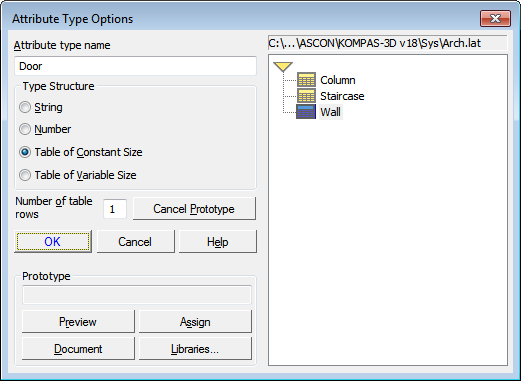
Selecting a prototype of table attribute
The buttons of the group Prototype
You can press |
Function |
|
Document |
Displays in prototype selection window the types of attributes which are stored in the current document (local types of document attributes). |
|
Libraries... |
Displays in prototype selection window the types of attributes which are stored in the external file (*.lat) of the attribute type library. |
|
View |
Previews the attribute type that is selected in prototype selection window. |
|
Assign any |
Assigns selected attribute type as the prototype for the one being created. |
