|
Use of local snaps |
Scroll |
Commands to invoke local snaps are grouped in the context menu. To enable the required local snap, invoke the respective command.
|
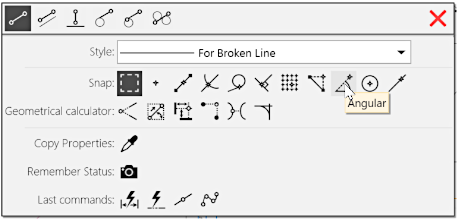
Context menu to enable local snaps
The cursor will change its shape  , which indicates the snap is active. All the global snaps will be suspended until the current operation is complete.
The size of the cursor’s trap can be changed in the in the Cursor Settings dialog.
See also
