|
Constraints designation in the graphic area |
Scroll |
The constraints of all objects are displayed in the graphic area when enabled constraint display mode. With the mode disabled, only the constraints of the selected object can be seen if the setup dialog The Display restriction icons for selected objects option is enabled.
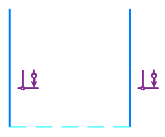
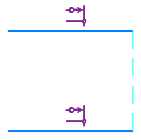
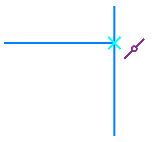
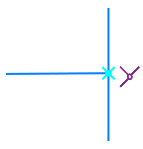
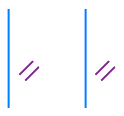
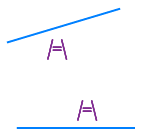
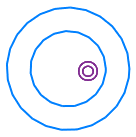
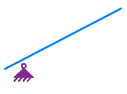
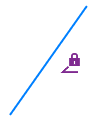
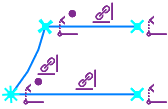
For designating constraints in the graphic area, special icons are used. For some constraints, additional elements are also displayed — dashed lines, crosses, etc. The designations of constraints are provided in the table.
Constraint |
Example |
Comments |
|
|
Horizontality |
|
|
|
Verticality |
|
|
|
Alignment horizontal |
|
Hatched horizontal segment connecting the aligned points |
|
Alignment vertical |
|
Hatched horizontal segment connecting the aligned points |
|
Point Coincidence |
|
A location of the point coincidence is marked with a circle. |
|
Point on curve |
|
The location of the point on the curve is marked with a cross. If necessary, the curve is extended with a dashed line. |
|
Curve midpoint |
|
A location of the curve midpoint is marked with a crosshair. |
|
Symmetry of Points |
|
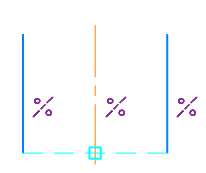
An additional dashed segment is shown, which joins the symmetrical points, and a square at the intersection of the segment with the symmetry axis. If necessary, the axis is extended with a dashed line to the square center. |
|
Three points at right line |
|
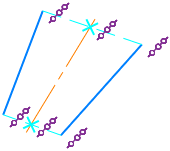
Additional segments are displayed, joining the points on the same straight line. Intersections of those segments with the centerline are marked by crosses. The constraint is created automatically when constructing a centerline by the Auto Centerline. |
|
Parallel |
|
|
|
Perpendicular |
|
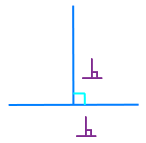
An additional icon of right angle is shown at the intersection of objects. If necessary, the objects are extended with a dashed line |
|
Collinear |
|
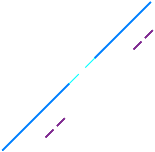
An additional dashed line is shown, joining the closest ends of segments. |
|
Bisector |
|
|
|
Tangency |
|
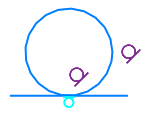
The tangency point is marked by a special icon. If necessary, the curves are extended up to the tangent point with a dashed line. |
|
Equal Radius |
|
|
|
Equal Length |
|
|
|
Concentricity |
|
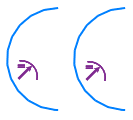
An icon is placed near the center of concentric objects |
|
Fixed Point |
|
An icon is placed near a fixed point |
|
Fixed length |
|
|
|
Fixed angle |
|
|
|
Fixed Dimension |
|
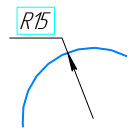
Rectangular marquee for the dimension value. The constraint icon is not shown in the graphic area. A variable for a dimension is represented in braces under the dimension value (more details in the Notes on displaying dimensions with variables). |
|
Projection link Projection of the end vertex |
|
The icon Projection Link is displayed in the sketch next to the projection objects (curves, points), and the icon End Vertex Projection is shown next to the terminal points of the projection curves if they are open. More details on objects projection see in the Projecting model objects into a sketch. |
|
Projective |
|
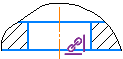
An icon is shown in a sketch near to projection designations. |
























See Also
