|
Calculation Direction and Methods for Setting the Angle |
Scroll |
The elements are available in the Bend, Bend by Line, Incision, Flanging.
The bend angle may be placed in both directions of the base face.
Forward direction of the angle calculation is the direction towards the base face. This direction is automatically defined by the system and shown by a phantom arrow in the graphics area.
You can reverse the angle calculation direction by clicking the Change Direction  to the right of the element Direction.
To select a method for specifying the bend angle, use the Setting angle group of buttons. The following options are available:
 Bend angle,
 Complementary angle.
The angle value is entered in the Angle field.
|
For the incision, the bend angle should be more than 0° and less than 180°; the complementary angle should be more than 0° and less than 360°. |

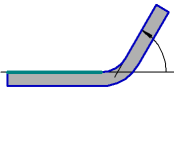
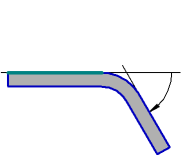
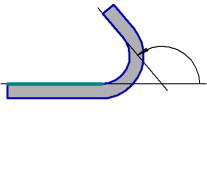
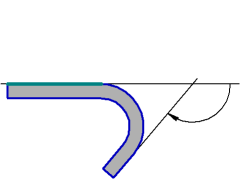
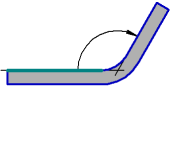
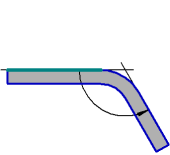
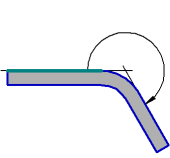
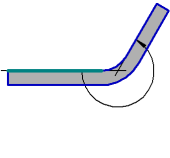
The bend direction (forward or reverse) depends both on the angle calculation direction and the method of specifying it (see Table).
Bend drawing scheme of depending on the calculation direction and method of defining angle
(the scheme shows the part projection onto the plane perpendicular to the bend base line; the projection of the base face is shown as a thick segment)
Forward calculation direction |
Reverse calculation direction |
||
|
Bend angle |
|
|
|
|
||
|
Appending angle |
|
|
|
|
|
It is not possible to build a bend with a 180° complementary angle since it would mean lack of the bend: the bend angle is 0°. |
